Features
Everything between your timeline and your next upload.
Find the drop, learn your channel and check the next cut.
Why not just use YouTube Studio?
Studio shows you that people left. Cutline shows you why.
Studio's retention graph is a line against minutes and seconds. Your edit is a stack of clips. Cutline joins the two.
| YouTube Studio | Cutline | |
|---|---|---|
| A drop at 2:14 | You scrub the video to 2:14 and guess. | Names the exact clip and track, e.g. "Graphic, main track". |
| Which cuts hurt most | Not shown. | Every shot ranked by viewers lost per minute, worst and best. |
| Music and sound | Doesn't know your edit. | Marks music changes, so you can see if a song swap lost people. |
| Watching the moment | Graph and player are separate. | Click the chart and the video jumps there, synced. |
| Next step | Interpret it yourself. | Plain-language findings and notes pinned to the timeline. |
Cutline uses the retention file you export from Studio. It adds your edit to it.
Beyond a single video
Cutline learns your channel, then checks your next cut before you upload.
One video is an anecdote. Add several and Cutline finds what repeats, so you fix the next video instead of mourning the last one.
See what keeps and loses viewers on your channel
Add your analyzed videos. Cutline reports what repeats across them: shot types, shot lengths and music changes.
Illustrative example, not real data.
Check a rough cut before you publish
Drop in an unpublished timeline. Cutline estimates how it will hold viewers and marks the shots most likely to lose them.
Illustrative example, not real data.
It gets better the more you use it
Published averages for your video's length.
First forecast from your channel, wide range.
Tests itself on your past videos and shows its error.
Enough history for steadier patterns.
An estimate, not a promise. Want to help? You can opt in to share anonymous numbers (no titles, names or files) so forecasts improve for everyone. Off by default.
The tool
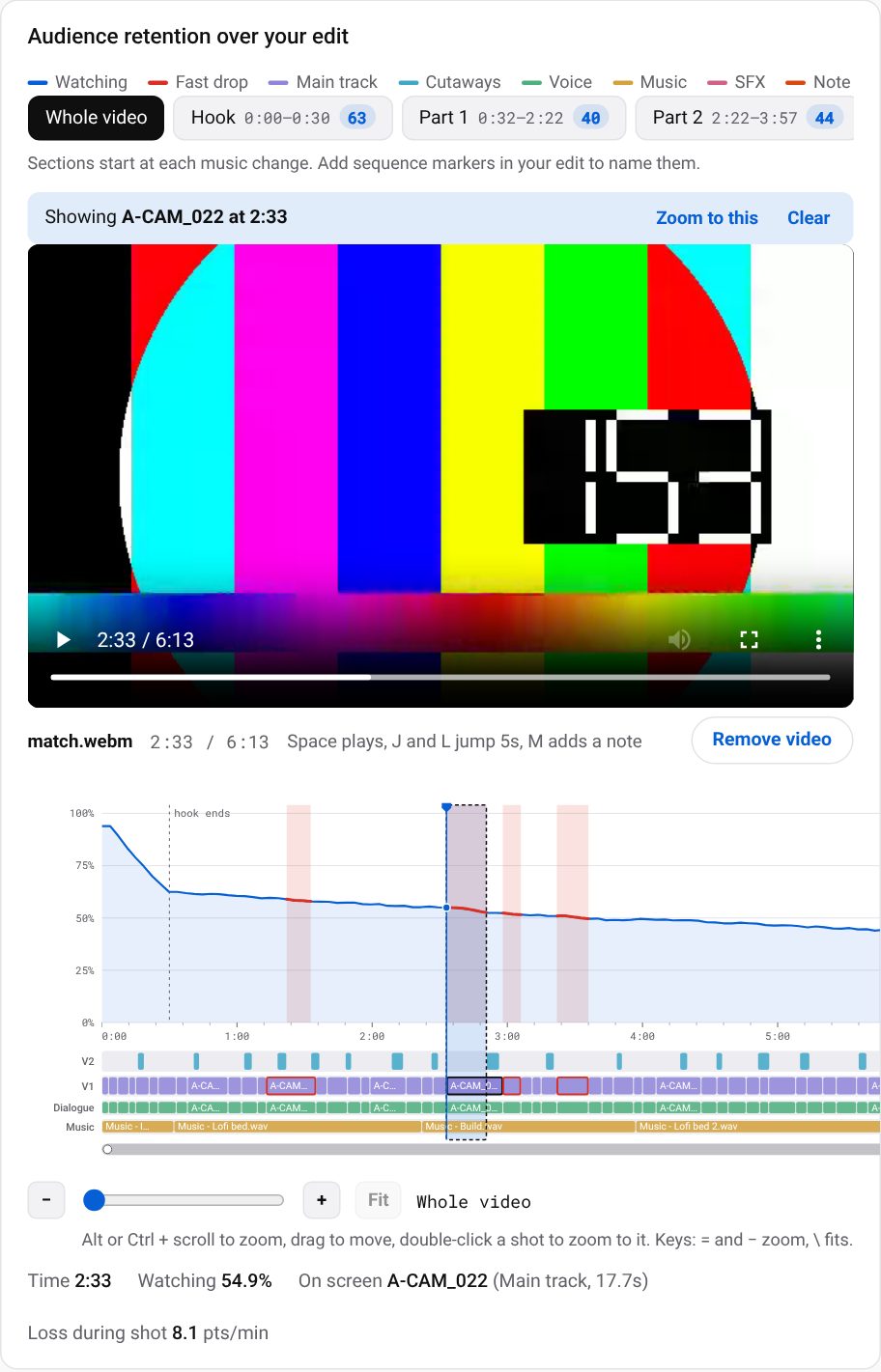
Click a drop. Watch the shot.
- Worst and best shots ranked by viewers lost per minute.
- Labelled by your timeline: main track, cutaways, voiceover, music and sound effects.
- Sections and notes so you can mark what to change in the next cut.
What you get
Built for the edit, not the dashboard.
Drops tied to shots
Every dip is matched to the clip on the main track and any cutaway above it.
Music and SFX aware
Detects music changes and tells voiceover, music and sound effects apart.
Hook and ending checks
See how many people stay past the opening and how many reach the end.
Synced playback
Click anywhere and the video jumps to that moment. Space, J, K and L work like your editor.
Notes on the timeline
Press M while playing to flag a moment and write what to fix.
Private by design
Files are read in your browser. The video plays from your own computer.
Find your next drop in five minutes.
Bring one timeline and one CSV. No account needed to try it.
Analyze a video freePaid plans and Google sign-in are coming. The waitlist form is not live yet.